

Alexander Grabovetskiy, woodcarver, School of Woodcarving · Published 2019
What is an island in wood carving?
Quick answer: An island in wood carving is a small spot of the original surface left standing while the background around it is lowered. On my walnut furniture panel the middle went five millimeters (about 3/16 in) deep, and the router plane rested on that island until the ground was almost done. Then I carved it away.
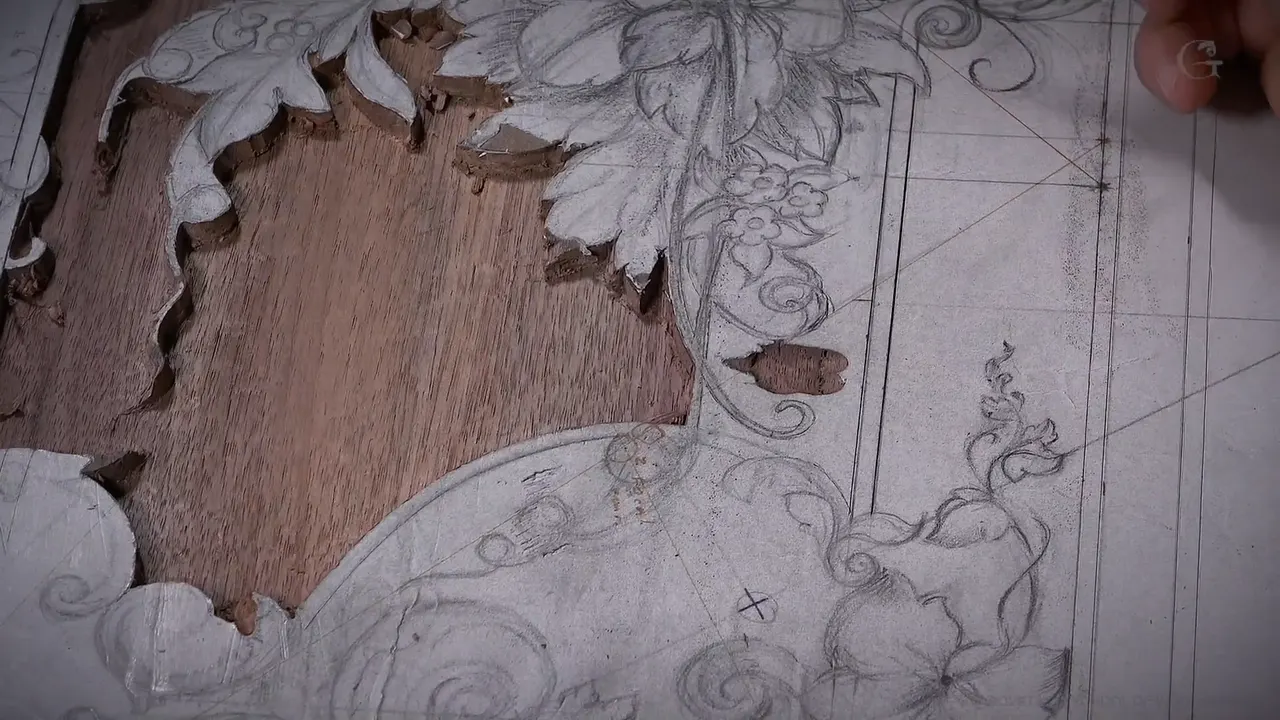
An island is a spot of the original surface I leave standing on purpose while the background around it goes down. On this walnut furniture panel the middle section was going five millimeters deep, half of the 10 mm board. Take it all down at once and the router plane has no support. One small spot, left high, fixes that.
Got a wide stretch of ground to lower in one go? Want the router plane to sit flat on it the whole way? Then give it something to stand on. In this lesson you see the island go in, carry the plane through the middle, and come off again once the depth is almost there. Along the way I make the first lines with a knife, take a veiner down to half a millimeter, and slow the plane when it gets too aggressive.
What this lesson settles about the ground
- When a wide area drops all at once, leave an island so the router plane has a high spot to rest on.
- The knife goes around the outline first, and its mark stays after the paper is gone.
- The middle goes five millimeters deep, other parts 1/8 in or 1/16 in.
- Every triangle and corner gets a relief cut with a number 11 before the flatter gouges.
- Stop the gouges about 1/32 in above the final floor and let the plane take the rest.
- If the plane bites too hard, raise the blade a little or fit a smaller one, and bring the bigger blade back later.
What is an island, and why does the router plane need one?
The island gives the router plane something to stand on. I set its depth with the stop ring, and wherever it rides it takes the ground to that same depth. It needs wood under it to do that, though. This section in the middle of my panel was wide. If I remove all of it right now, I don't really have much support.
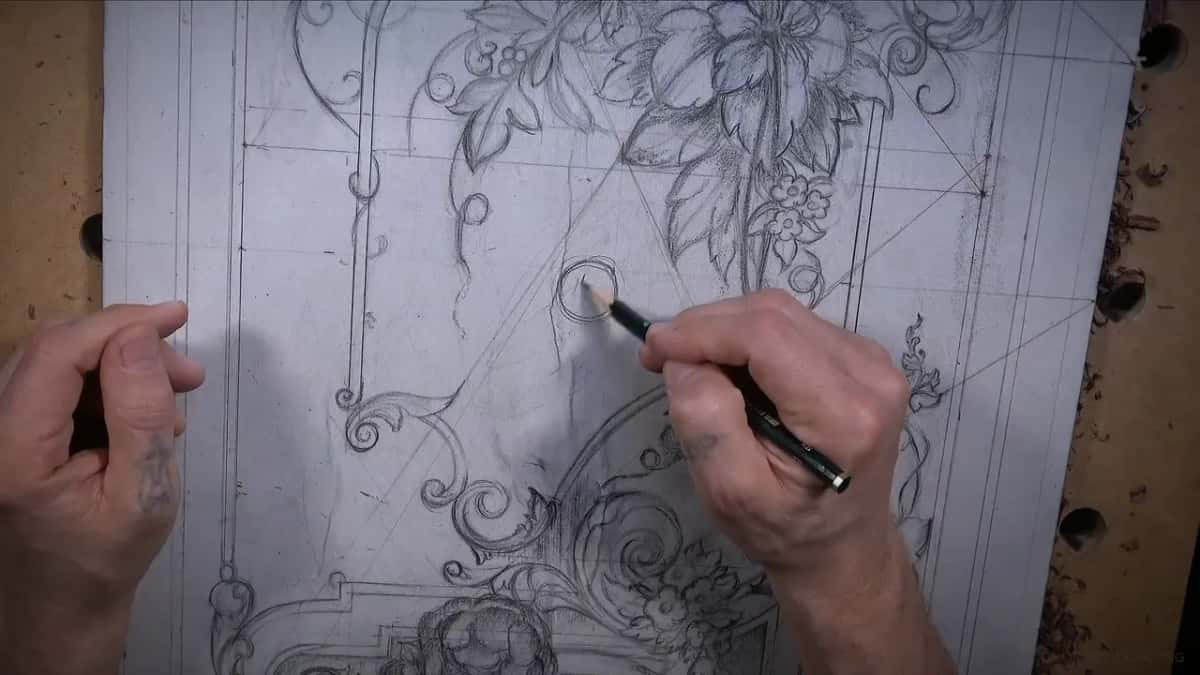
I drew a little circle in pencil, a spot, and left it alone. Later on I can remove it. Until then I can rest my router plane on those high spots. When the bulk came off with a gouge, I kept reminding both of us. Don't forget about the island. Don't touch my island. Then the plane rode on it, pass after pass. See how the island helps me?


The island stayed until I was almost at the final depth. Then it came off the same way as everything else. A bigger number 9 took most of the material, something flatter took a little more, and a number 3 finished it. Now the island was gone, the plane had no middle reference, and I told you on camera I had to be really careful there. Later in the same video the flat middle helped in another way. Once the middle was down and flat, my eyes had a really good reference, because a flatter surface already there is a lot easier to read.
Why does a knife make the first line?
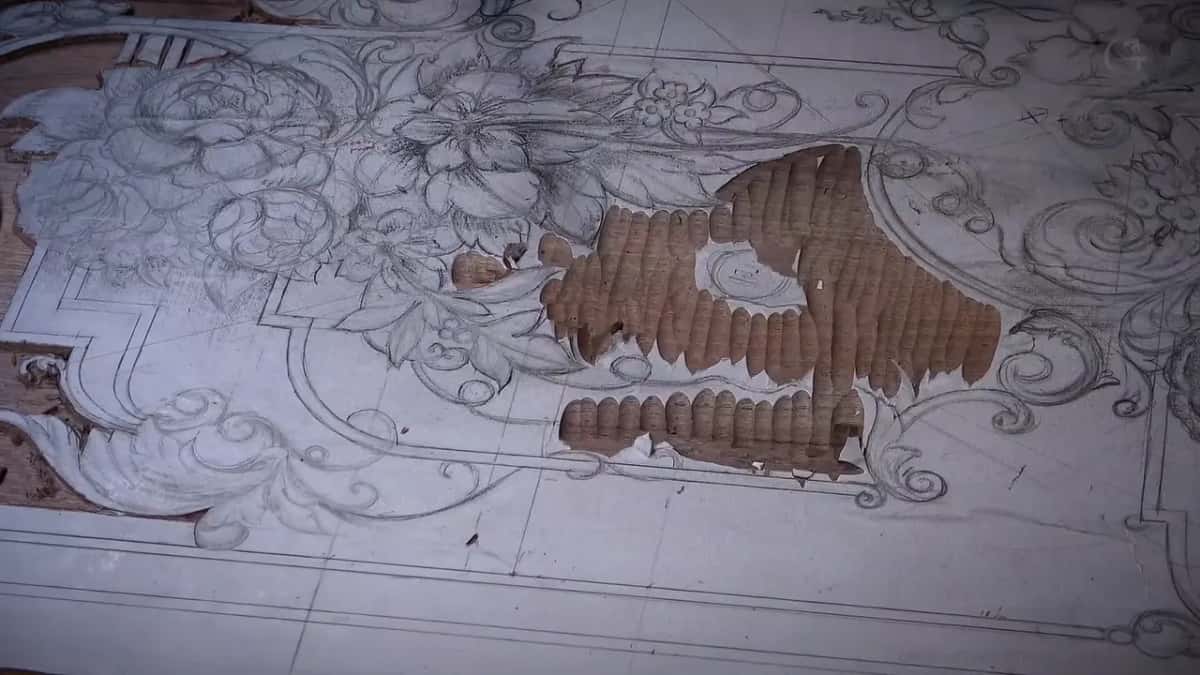
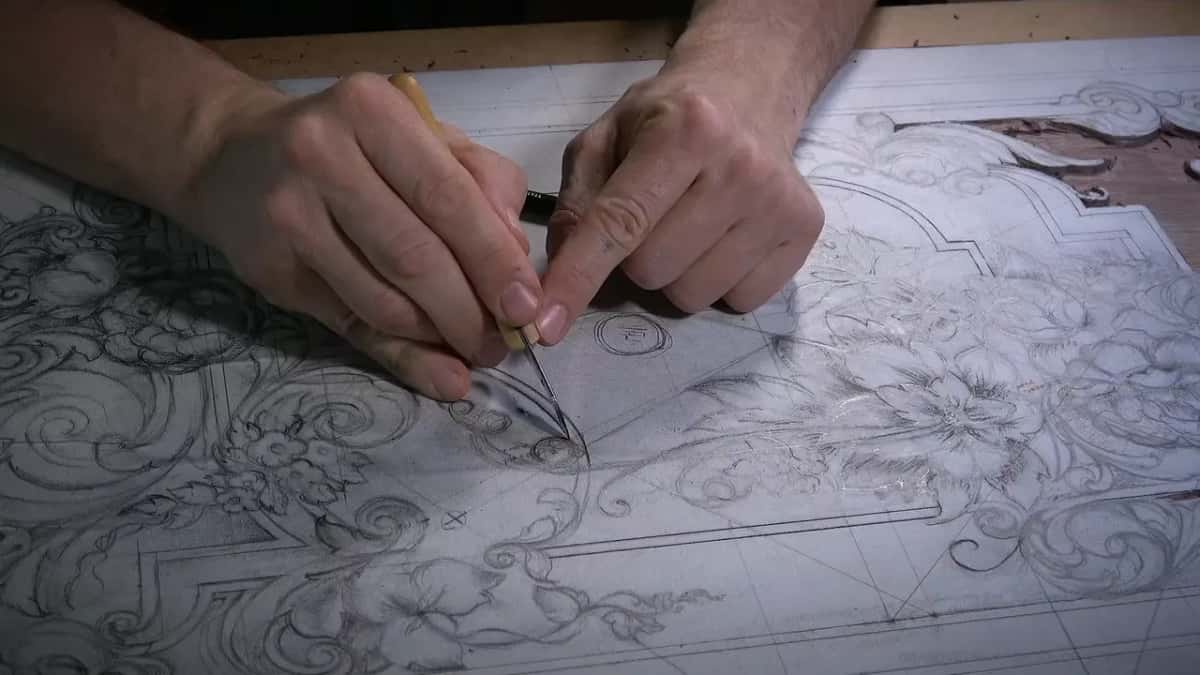
A knife mark stays in the wood after the paper is gone. My design is a paper pattern glued onto the board, and as the ground goes down, the paper goes with it. See why it's important to have those first knife lines? The mark is still there. When I place my next tool, it catches that line and chops straight down. If you carve this design yourself, the full size pattern is a download, to print and glue on the same way.

Any knife will work. I took a small one and kept it shallow on purpose, because I don't want to struggle with the harder wood. Walnut is a little harder than lime wood and basswood, though it's not that hard. Press deep, and the fibers smush both ways, and later on, even after you clean nicely, they pop back. All I need is a line to place a gouge in later.
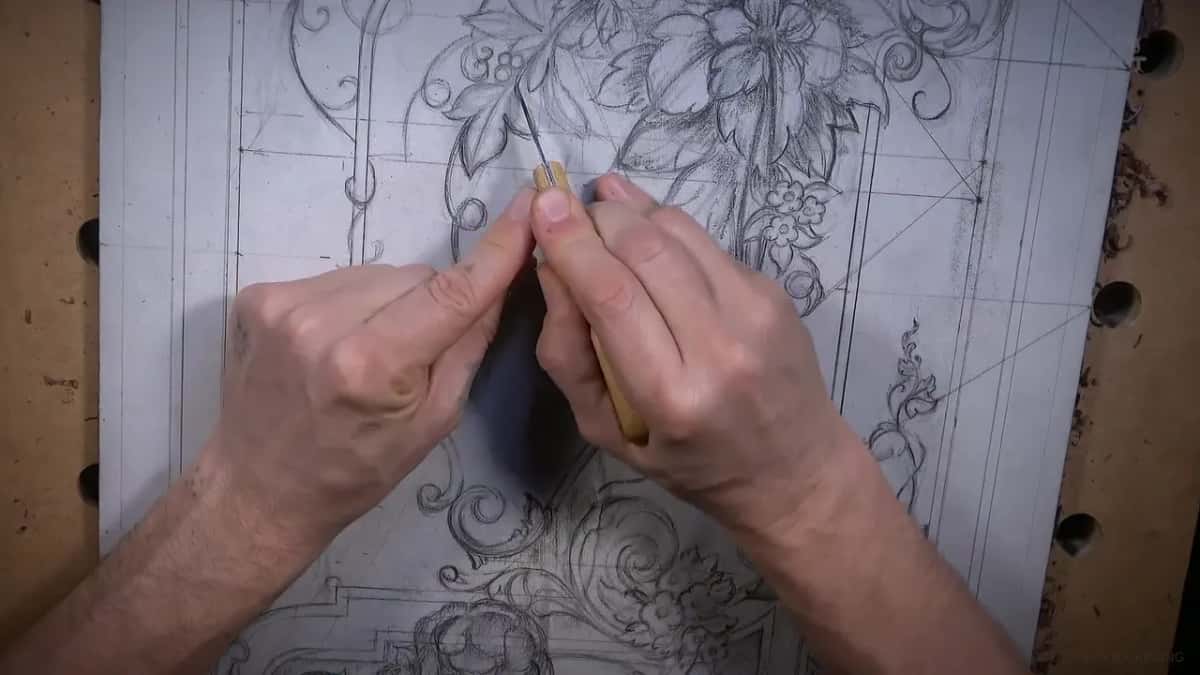
I hold the knife really low. That makes it a lot easier to pull toward yourself, and not too fast, because you have to control it. On the second side of an element I keep an eye on the first line, so the element comes out the same width all along. Then the blade slipped. Oops. That's not good. That area was kind of harder for some reason, and it slipped again. Still, nothing was damaged at that point.

How deep does each part of the background go?
Three depths on this board. The middle goes deepest, five millimeters, about 3/16 in, because I don't want to see exactly the same level everywhere. Other areas sit at an eighth of an inch, about 3 mm, and some parts at only about a sixteenth, 1.5 mm. That way you will see the big difference. Those shallow parts give the panel a lot more strength, so it won't move as much, and the shallowest one waits for lesson 17.

There is a danger in this operation. You can dig too deep in the middle, and I keep an eye on how deep I'm going. Different devices can check it, but even a ruler will tell you. On one check I still had another thirty-second of an inch to go, maybe a little more. In one small area I was just eyeballing it, and I was really close.
My gouges stop about 1/32 in above the final surface, and the router plane makes the last clean pass. Say you go a bit too low. Don't tear your hair. As long as some wood is left between the back and the surface, you can shave the rest slightly lower, and it won't be really noticeable. The only person who's going to know is you. And if somebody asks, you can always say it was designed that way.

How do you lower the ground without breaking the design?
Relief cuts go in first. Wherever two elements meet, or a small triangle sits between them, I take a number 11 veiner and make straight down cuts as close to the corner as I can before a flatter gouge goes in. If you ask me why that matters, try without them and you will see. Sometimes you are just chopping fibers and breaking stuff, and the grain can split.
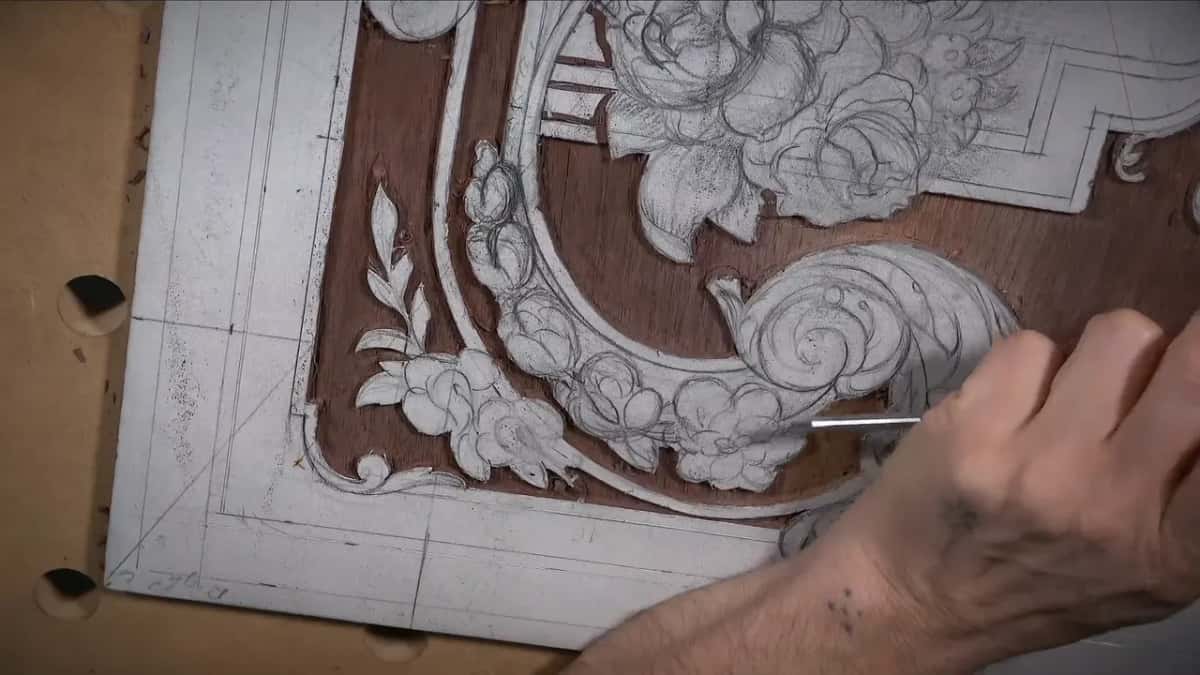
It got me anyway in this lesson. A little section popped out at an intersection of details, and I lost a little detail. No bueno. I tried to save it, because it still had some meat. But I made a mistake there, I should have relieved a little more. Yes, I know, sometimes it happens. What can you say?
Later in the same video I took the number 11 again near the leaf tips. I really want to save those points of the leaves. In the last video one side of a piece flew out. I kept it, and later I'm going to glue it back in, because I know it will match.
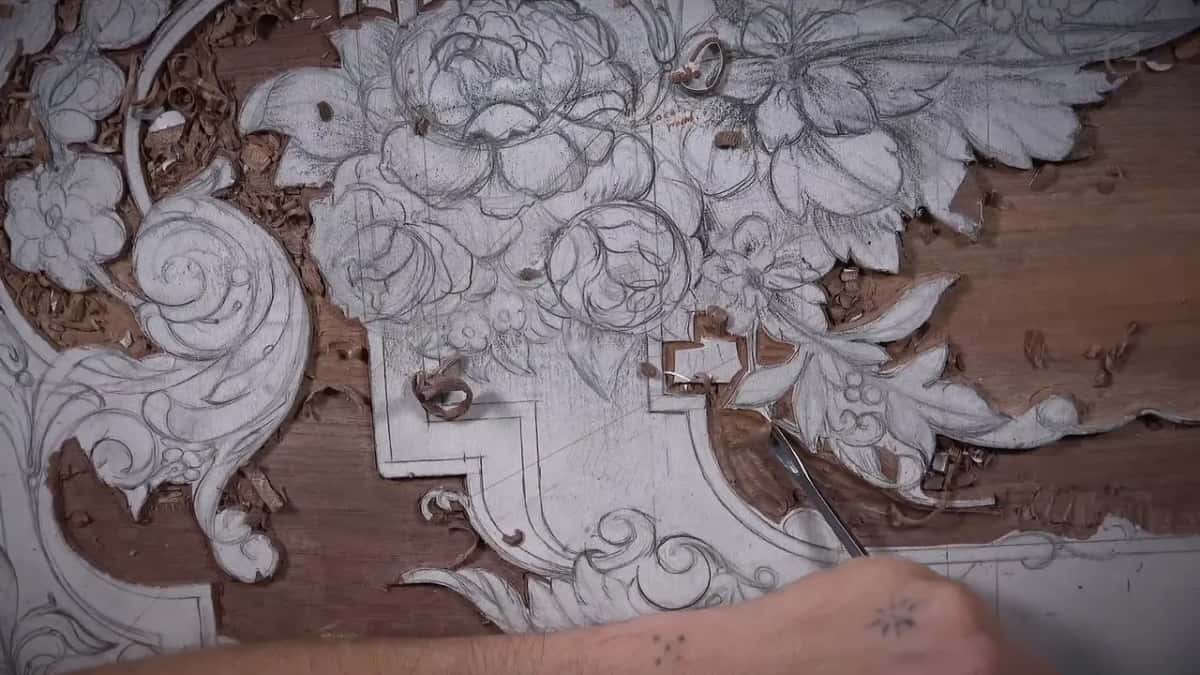
Keep the walls straight, and if anything, lean the tool slightly away from the design. Lean it toward the inside and you can create a big problem. Leaning away, you can always clean it later with a straight down cut. Across the grain is always the safer way. Along the grain is a dangerous position, because the tool can dig inside the wood and split it.

The number 9 takes the bulk. On this panel it was 5/8 in, 16 millimeters, and even working that way I keep rotating the tool while I go, so it slices. A mallet gives much more control, and with it I get a little closer to the design. Where the grain wanted to split away from me, I turned around and pulled the tool toward myself.

How small do the tools get in the tight spots?
Half a millimeter, at the narrowest. In the first video the number 11 went down to 1 millimeter, then half of that, because there was not much space for me. I don't stress about the depth in spots like that yet. Once I develop the flower next to it, it will be much easier to get in.

Where the router plane can't get in, a grounding tool does the job, and mine here is by Ashley Iles, marked 47, a sixteenth of an inch. They have a set of those, all the way to an inch, I think. Really handy tool to have. Late in the lesson I put two grounding tools side by side, and I like the original Ashley Iles much better for some reason. It gives me that slight curvature.
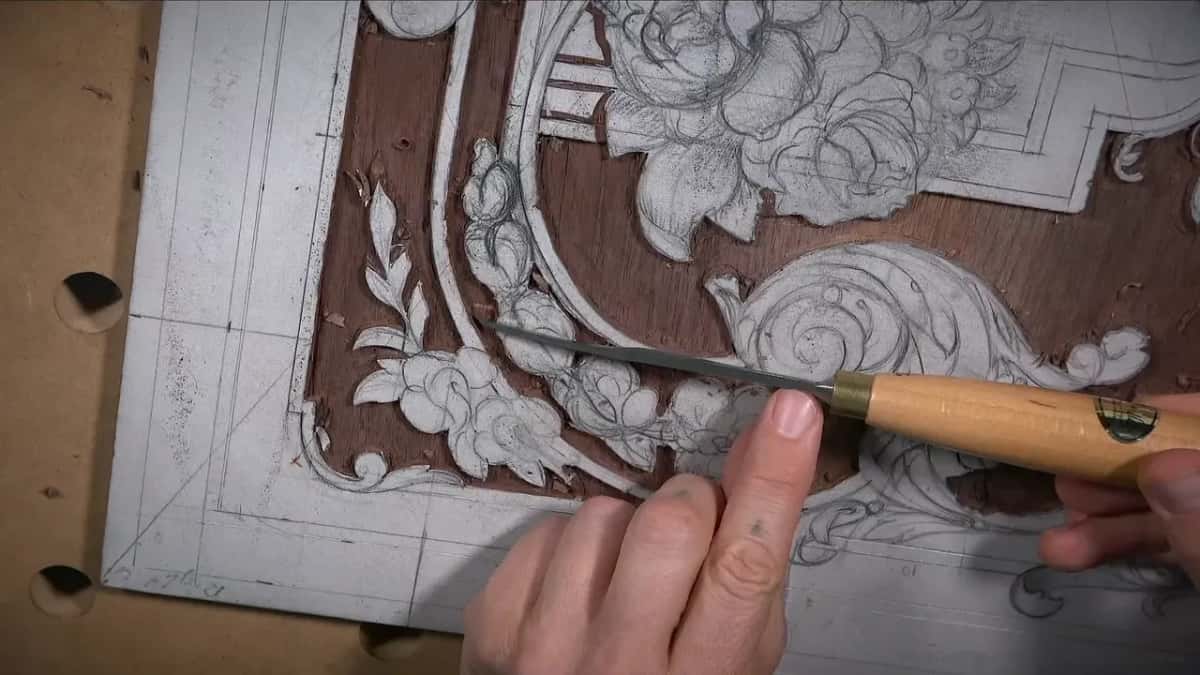
For the tightest corners I have a long bent number one. That's a Lamp brand tool from Germany, and it's 1.5 millimeter, but it feels almost like 1 mm, because I reshaped it. I made it smaller.

Then there's the number 23, 6 millimeters. The name for this tool is a macaroni tool, the same as the pasta. I just prefer to call it number 23. I like it because it has a true 90 degrees, so the wall comes out clean without digging underneath. You're not going to use specialty tools like that every day. But for reproduction furniture, restoration work, or unique pieces in that style for your house, it makes sense to have them.
For outlines I use whatever fits. The outline of a future flower is not its final shape yet, so a number 5 at a quarter inch dropped into one curve and fit perfectly. When a gouge is bigger than the curve, I angle it and use only a part of it, mostly the corner.
| Tool | Job | Size | Note |
|---|---|---|---|
| Veiner, number 11 | Relief cuts in corners and small triangles | 3 mm | Went as small as 0.5 mm |
| Gouge, number 9 | Takes the bulk off, crosswise to grain | 5/8 in | I rotate it so it slices |
| Ashley Iles 47 | Cavities where the router plane will not fit | 1/16 inch | A set goes to an inch, maybe |
| Long bent #1 | The tightest corners next to the flowers | 1.5 mm | Lamp brand, from Germany, reshaped smaller |
| Macaroni tool, #23 | A wall without digging into the ground | 6 millimeters | It has a true 90 degrees |
| Router plane blade | Final depth across the whole open ground | half inch | Too aggressive at first, so raised |

What keeps a router plane from biting too hard?
Raise the blade and take it little by little. My first pass with a half inch blade (about 13 mm) was a little too aggressive. I raised it a little, and it was maybe still too aggressive. I did not lose the detail, but I had to be careful. When it bites like that, it's better to go back and do a couple of passes with the gouge, or use a smaller blade now and a bigger one later. Control came back with the smaller blade.
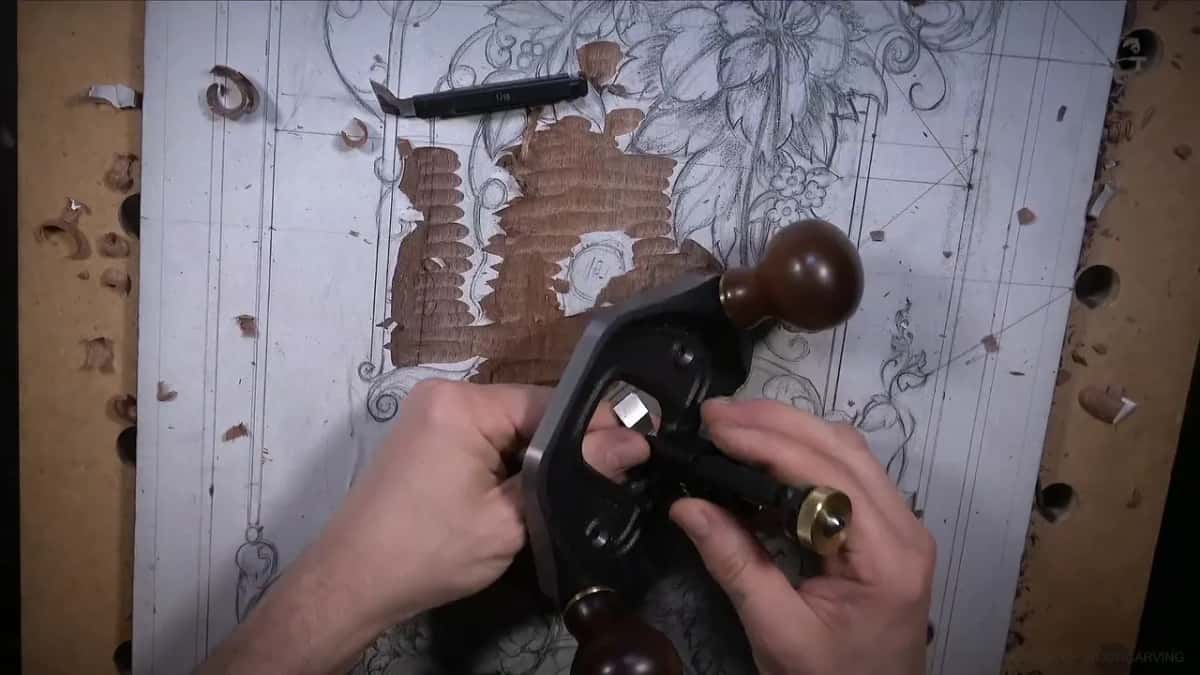
Later, with the island gone, I put in a big three-quarter inch blade (19 mm) for a cleaner pass. I changed the blade and didn't have to readjust anything. You can get an almost polished result with just a router plane, really smooth and nice. I wish you could feel it.
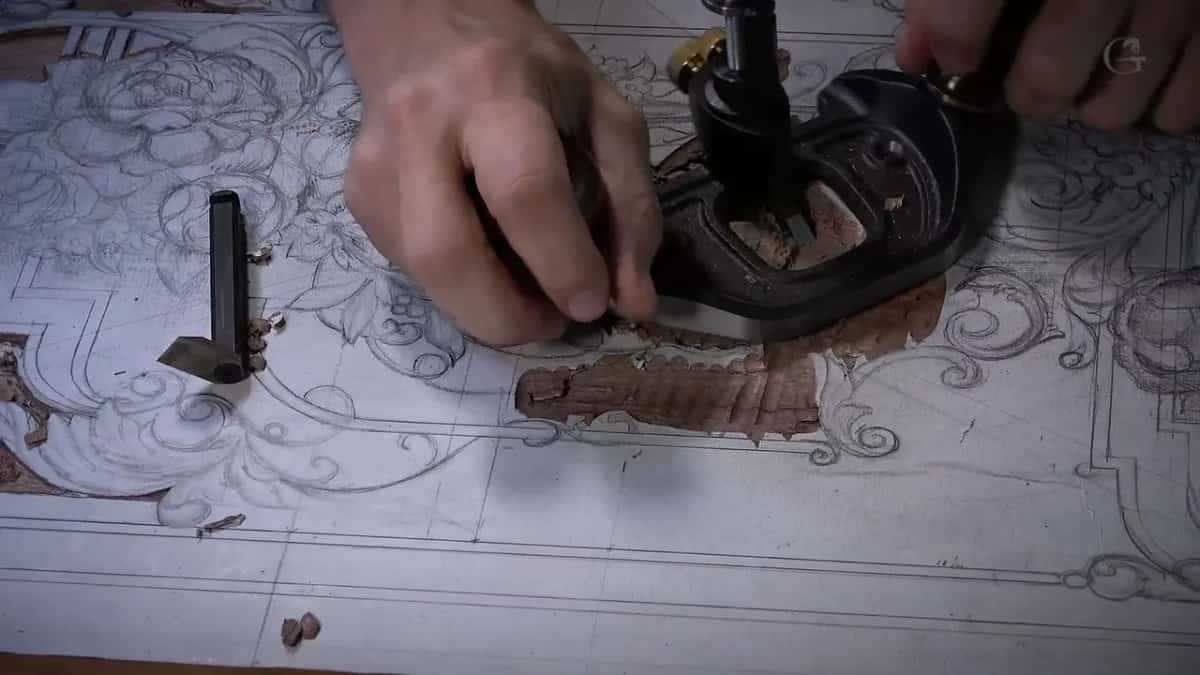
Close to the details I hold the plane at almost 45 degrees and make slicing passes toward the detail. I reference on one side and rotate. On camera it can look like the tool doesn't want to go in. I'm just not forcing it, with almost no pressure, so I don't dig too deep. If I feel it still grabbing a little material when I push a little harder, I know the depth is exactly the same. The rotation leaves faint trails, and then I go over it from the opposite side.
Smaller ground needs smaller blades, 3/16 of an inch, then 3/32. Later I changed again to a little bigger blade, one-eighth of an inch, three millimeters. Once the blade felt like it had slipped a little lower. That happens sometimes, and on this Veritas only. It's never happened on a Lie-Nielsen router plane, and that's why I really like that one. Still, I like the quick change on this one.

Should tool marks show in the background?
In this lesson I said both, at different moments, about different parts of the panel. The number 23 is sometimes safer than poking straight down, because it won't dig a line into the background. Still, a little line there doesn't scare me. Nothing is wrong with it, because it shows you did the work by hand with gouges and chisels. People who really appreciate hand work look for those marks.
Later I wanted no tool marks in the background at all, since some of the work still gets undercut later on. It's possible to hide those lines. But if I can stop the problem at the beginning, I should. Undercutting shows up in a later lesson on this background.
Inside the volutes I stopped short of the background on purpose, because if you go all the way down, it looks glued on. Nothing is wrong with gluing a piece on. Still, people who understand how it was done the old way will know.
Which takes longer, the design or the carving?
The design, and by a lot. The most complicated part of a panel in this style is the designing stage. That's why I spent a lot longer on it, in the design course before this one, which ends when the drawing is finished in lesson 14. Get the laws and principles of design right, and the piece will be really pleasing to the eye. The carving process is not as complicated, as long as you stay consistent with how deep you carve and don't overdo it.
Some of you waited a long time for this panel. One of you wrote me an email, and this panel was the whole reason that person signed up for my school. I think it's a good project for furniture makers, or even for a hobbyist, because it gives you an idea of low relief carving. And it doesn't have to be an 18th century panel. Step one on pretty much any relief carving is the same, removing the background and working your way in.
Let me tell you a story, a joke I told in the middle of this lesson. A man wanted to learn wood carving the old way, as a master's apprentice. After seven years over his master's shoulder he showed his work to another master, who said the first one had it wrong. Short strokes, not long ones. Seven more years, and a third master wanted medium to long strokes. When he saw the face of a fourth master, he walked away to learn by himself. There are no perfect masters. You have to learn from all of them and still develop your own approach.
This board has a crack on the side, a big one. I knew about those cracks from the beginning, before I started the design, and I still think this wood is beautiful. People who built furniture in the 19th century were not as picky. Nowadays, if there's a little sap in walnut, people cut it out and throw it away. Back then they would use it.
It's the same purple walnut from the start of the design course. Look at that color. Gorgeous.
This lesson follows lesson 15, where the carving stage starts, and the background work goes on in lesson 18. The whole stage sits in the carving course. Part 3 of this panel comes after it. The filler flowers I worked around were drawn in lesson 12 of the design course. Want help picking tools for a panel like this? Try the whole course about tools for wood carving.
To watch the island go in and come out, pass by pass, the whole lesson is waiting in the school.
How it's done
- Knife the outline first. Run a shallow knife line along every edge of the design. Hold the knife low and pull it toward you, slowly.
- Mark the island. Pick a spot in the middle of the wide section and leave it high, so the router plane can rest on it later.
- Relieve the corners. Make straight down cuts with a number 11 veiner in every triangle and wherever two elements meet, before you reach for a flatter tool.
- Take off the bulk. Work a number 9 crosswise to the grain, rotating it as you go, and stop a little short of the final depth.
- Plane in small steps. Set the router plane high and lower it bit by bit. If it digs in, raise it or switch to a smaller blade.
- Remove the island. When the ground is almost at final depth, take the island off with gouges, then clean that patch with the plane, carefully.
Frequently asked questions
When does the island come off?
Near the end, when the surrounding ground was almost at its final depth. I chopped the high spot away with gouges, a big number 9 first and flatter ones after, then cleaned that patch with the router plane. Care matters there, since nothing in the middle is left for the plane to read.
Why go around the outline with a knife?
A knife line survives when the paper pattern comes off, and the next gouge catches it and goes straight down. Keep it shallow in walnut. Pressed deep into a harder wood, the fibers squash both ways and pop back up later, even after a nice clean.
How much wood do you leave beside the outline?
About 3/32 in, a couple of millimeters, and in some spots 1/16 in. Later on I can always make an element narrower. Over the ground itself my gouges leave roughly 0.8 mm standing over the final floor, and the router plane takes that last bit in clean passes.
What to carve next